Servebolt CDN Domains
Last updated: 2022-06-03
Overview
This interface allows us to create/update/delete domains behind Cloudflare. Generally this is our primary way we add/remove a client's URL to Servebolt Cloud.
List View
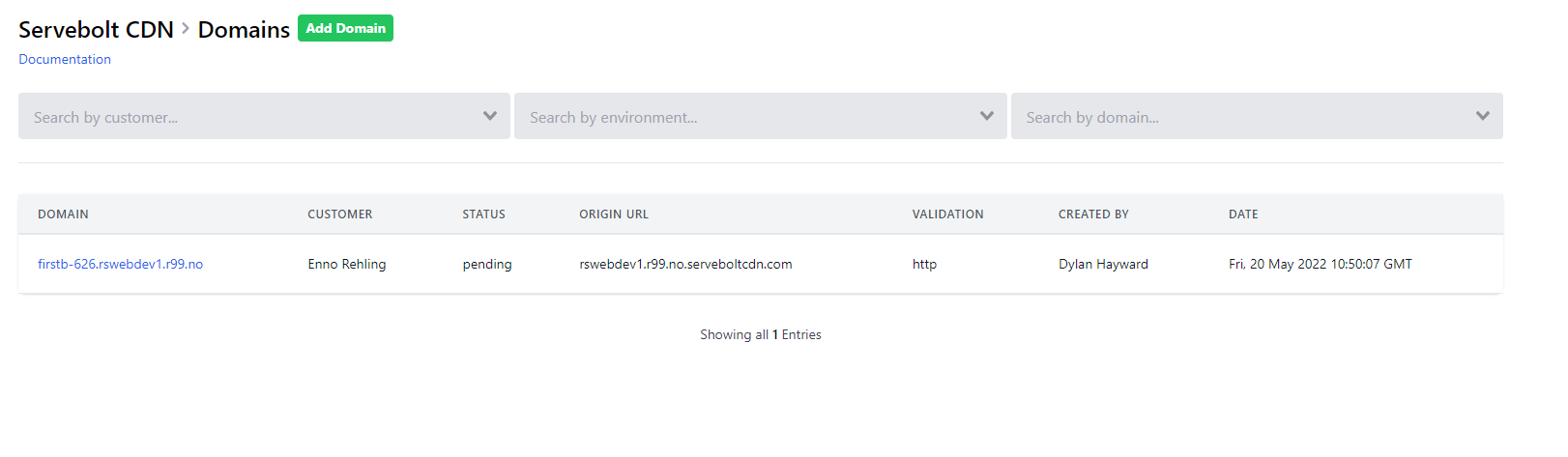
There are a few autocomplete search fields at the top of the list view that will allow filtering. The environment autocomplete field refers to a Bolt name and the domain refers to the vhost alias/site URL. Note, of course, that www.example.com and example.com must be two separate domains behind Servebolt Cloud.
Origin URL refers to the server where the site currently resides.
Statuses
There are 5 statuses possible to be displayed:
pending- Webtools has inserted a row into our Postgres database, but Hermodr (the backend service that communicates with Cloudflare API) has not yet seen it and accordingly has not taken any action;error- something went drastically wrong and cannot proceed. Please advise Dylan or a similar person if you ever seen this status;deleted- this indicates that a Servebolt staff member has intentionally removed this. It should no longer exist behind Servebolt CDN;verifying- Hermodr has added this domain to Servebolt CDN, but it still requires either wellknown or dns validation; andlive- everything is A-OK and is protected by Servebolt CDN.
Detail View
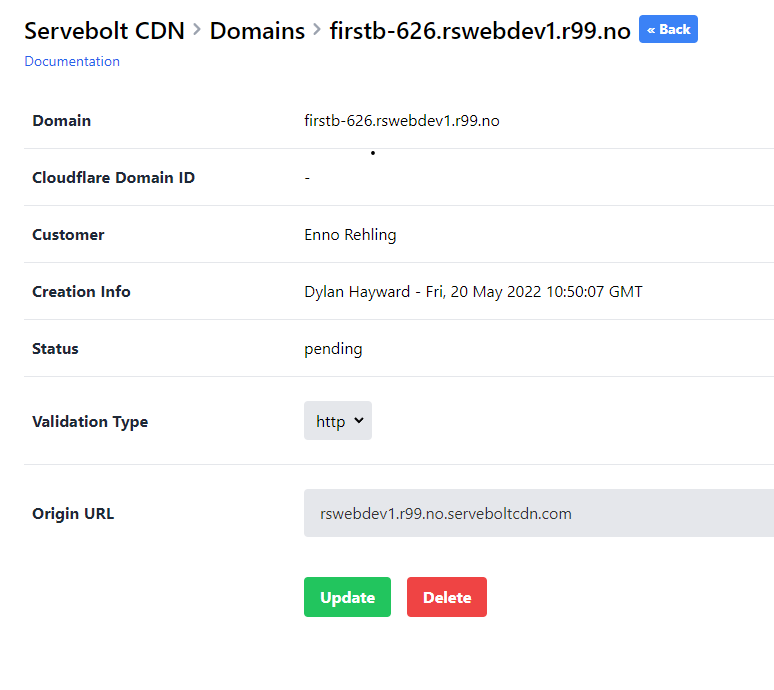
Clicking on the domain link from the list view will pull up the detail view for a site. There are a couple things can be changed here, depending on the domain's current status.
If the status is pending or verifying: the "validation type" can still be changed. This will allow you to switch between the verification methods. Changing the validation type is impossible if the status is currently set to a different value.
The "origin URL" can be changed at any point. If the domain is already live (meaning it has been setup and verified behind Cloudflare), the "origin URL" can still be modified. You will want to update this if you are migrating a site from one server to another.
If you are using DNS verification, you will need to add one or two TXT records. You should be able to find the specifics in the Ownership DNS Verification and SSL DNS Verification values in the detail view.
On some occasions, you may not always need to add both of these (i.e. if you've already verified associated domains before.) In that case, either the Ownership DNS Verification or SSL DNS Verification fields will be blank.
Note that the Cloudflare Domain ID will be displayed as a read-only field here after we've received it from Cloudflare API during the setup process.
Add Domain View
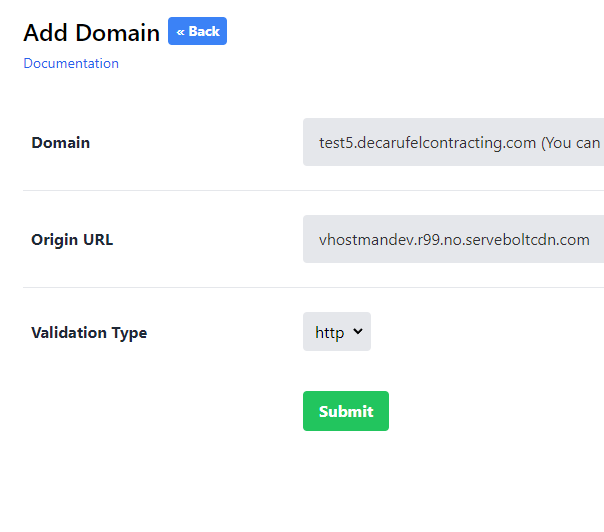
In order to place a URL/domain/alias behind Servebolt Cloud (sometimes referred to as Servebolt CDN), you will need to enter three elements:
- Domain (the URL attached to the site);
- Origin URL (the Servebolt server address where the site currently resides);
- Validation type (either DNS or TXT, depending on which is preferable for the client).